01DG Chat
Ask and understand
DG Foundation connects approved systems, dashboards, spreadsheets, and documents. DG Chat gives your team a plain-English way to ask questions and see what supports the answer.
Which orders need attention today?
The AI operating system for American manufacturing
Connect the systems you already use, then put AI to work answering questions, running workflows, and completing defined jobs. No overhaul required.

One operation. Many systems.
Orders live in one place. Inventory in another. Reports and work instructions are spread across dashboards, spreadsheets, and documents. DG brings the right information together when your team needs an answer or decision.
How DashboardGenius works
Start with the systems and work you already have. Use the same trusted foundation for questions, purpose-built workflows, and complete multi-step jobs.
DG Foundation connects approved systems, dashboards, spreadsheets, and documents. DG Chat gives your team a plain-English way to ask questions and see what supports the answer.
Add the focused screen and workflow your team needs around an existing system of record, without replacing the software that already runs the business.
Give a Workforce a defined outcome and the information it needs. It carries the work through, returns the finished result, and flags anything that needs your team's decision.
Meet DG Workforce
Chat helps your team investigate. Connected Apps help people run the workflow. DG Workforce takes on a defined job and carries the work through to a finished result.
Set the result, the information it can use, and what good work looks like.
It brings the right information together and prepares the finished result.
Your team sees the result, what supports it, and anything that needs a decision.

For example, a Workforce could read an incoming drawing, isolate a requested part, prepare a review-ready CAD file, check the geometry, and flag missing or uncertain dimensions for a technician. Each Workforce is configured around the customer’s actual job, inputs, and review steps.
From the floor to the meeting
Ask on desktop or mobile. Review the answer, see what supports it, and share a report or presentation.
Connected Apps
Connected Apps combine information from the systems your team already uses with a focused interface for the work that still falls between them. Your ERP, MES, CRM, or other core system stays authoritative.
A shipping-readiness app can bring order status, shop-floor scans, holds, and delivery planning into one controlled workflow without trying to replace the ERP.
Keep what already works
DG Foundation connects to the business systems, shop systems, spreadsheets, and documents your team already uses. Connected Apps and DG Workforce build on the same approved access, context, and permissions.
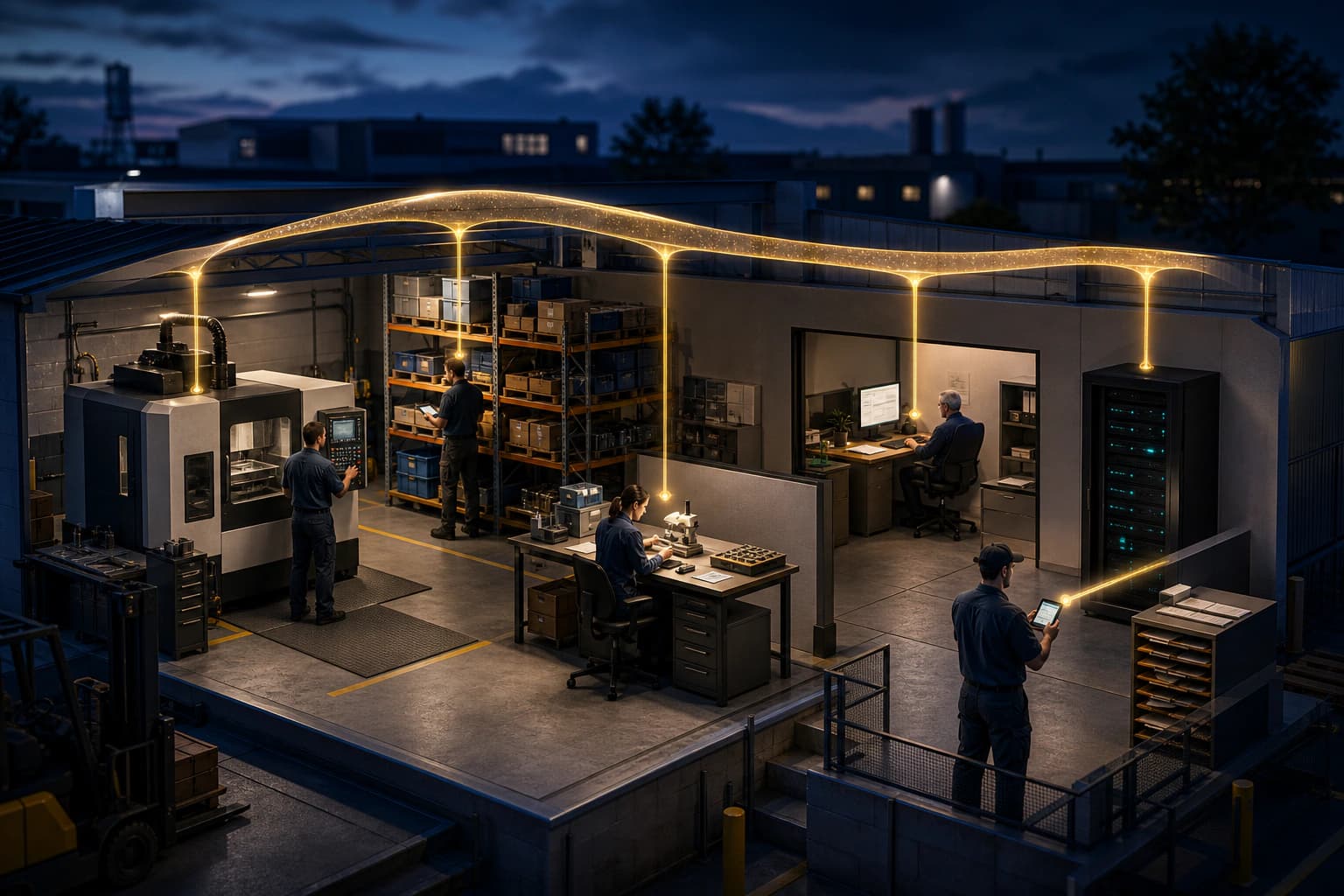
DG Foundation connects the approved business systems, dashboards, spreadsheets, and documents your team already uses.

“DashboardGenius is amazing!”
PJ QuesadaVP of Marketing and 3rd generation owner, Ramar FoodsIn use at Ramar Foods
“DashboardGenius is helping turn our operational data into a high-precision navigator for the production floor.”M BalevaContinuous Improvement Manager, Ramar Foods
More capacity. One simple plan.
Start with one manufacturing job. We connect the systems it needs, set it up with your team, and support you as you add more.
Common questions
No. DG adds an AI layer across the systems and workflows your team already uses. Your current systems stay in place.
No. DG Foundation connects the approved systems and context behind DG Chat, Connected Apps, and DG Workforce. Start with the job you need solved, then add a focused app or Workforce when the work calls for it.
No. We work with your team to connect the right systems, understand the job, and set up the first jobs.
Yes. We set DG up around your systems, operating knowledge, instructions, and recurring work. Your current systems stay in place.
DG Workforce is where autonomous AI workers take on defined jobs across your operation. Each Workforce follows your instructions, uses the information you choose, prepares the result, and flags anything that needs your team's decision.
Yes. A Workforce can prepare recurring work on a schedule. Your team chooses where review or approval is required.
We use one annual plan that combines the software, hands-on setup, connections to the systems your first job needs, and ongoing support.